Once you complete all required lessons and pass the quizzes (including pre-test and post-test if required), you simply need to log in to the TESDA Online Program (TOP) portal to check and download your certificate and prove that you’ve done the hard part—staying up late, finishing the modules, passing the quizzes, and clicking “Next” more times than you can count.
That’s it. You have your Certificate of Completion ready for printing or sharing. No payment. No long lines. No waiting weeks. Just proof that you have initiative, discipline, and technical learning—qualities employers value.
What is a TOP Certificate
The TOP is a program offered by the Technical Education and Skills Development Authority (TESDA) so Filipinos can have access to free online courses. When you finish a course, you receive a Certificate of Completion. Take note that this certificate proves you completed the online training. It is not a National Certificate (NC). If you want an NC or Certificate of Competency (COC), you still need to take a face-to-face assessment at a TESDA-accredited assessment center.
How to Download Your TESDA Online Program Certificate
A certificate of completion is enough to prove you have relevant training. To download your certificate, simply follow these steps:
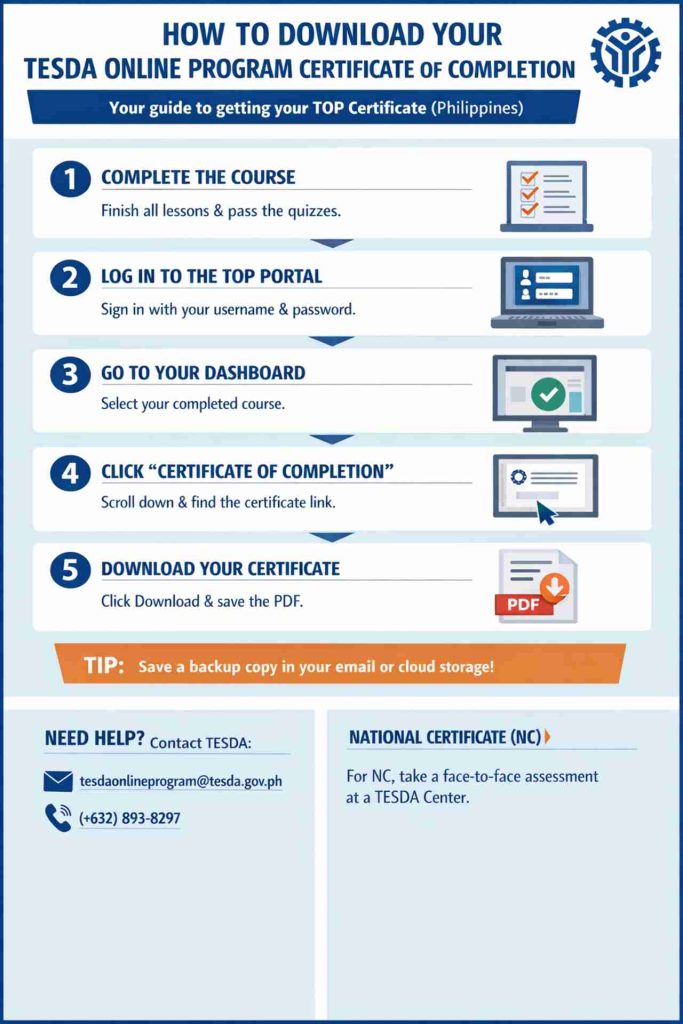
Step 1. Complete All Course Requirements
Before you can download anything, you must:
- Finish all lessons or modules
- Pass the required quizzes
- Complete pre-test and post-test (if the course requires it)
If even one part is incomplete, the certificate link will not appear.
Step 2. Log In to the TESDA Online Program Portal
Go to the official TESDA Online Program website and sign in using your registered username and password.
If you forgot your password, reset it before proceeding.
Step 3. Go to Your Dashboard
After logging in:
- Click on your Dashboard
- Look for the course you completed
Make sure it is marked as completed.
Step 4. Open the Finished Course
Click the course title. Scroll down to the bottom of the page.
If you completed everything correctly, you will see a link labeled: “Certificate of Completion”
Step 5. Download Your Certificate
- Click the certificate link
- Your certificate will open
- Click the Download or Save icon
- Save the PDF file to your phone, laptop, or computer
Tip: Save a backup copy in your email or cloud storage. OFWs and job applicants often need quick access to digital documents.
Frequently Asked Questions (FAQs)
For your reference, here are some common questions and answers about downloading TOP certificates:
1. Is the TESDA Online Program certificate valid for jobs?
Yes. Your TOP Certificate of Completion can:
- Support your job applications in the Philippines
- Strengthen your resume
- Serve as proof of training
- Help when applying for competency assessment
If you want a National Certificate (NC), you must take a practical assessment at a TESDA-accredited center.
2. Can you download it using mobile?
Yes. You can also use the TESDA Online Program App to track your progress and access courses offline. However, downloading the certificate is usually easier through the website using a browser.
3. What if the certificate link is not showing?
Pause. Don’t panic. Check if:
- You finished all the modules
- You passed all the quizzes
- You completed the post-test
If everything is complete and the link still does not appear, contact TESDA support via the following:
- Email: tesdaonlineprogram@tesda.gov.ph
- Tel. No.: (+632) 893-8297
- You may also visit the TESDA office near you.