Updating your TESDA BSRS (Biometric Profile Registration System) profile is not complicated. You basically just log in, edit, submit, and wait for approval. That’s the system. Most updates are reviewed by the Technical Education and Skills Development Authority (TESDA) before they appear in your official record. But if you are only changing your contact number, it usually updates without approval. You can also upload new documents under the Documents tab for review.
If you are looking for opportunities to get free technical and vocational training, assessment, or other TESDA services, your records should reflect your real, updated information on your learner records, including your personal details, contact information, and uploaded documents. Don’t delay it. Your opportunities often depend on clean and accurate records.
How to Update TESDA BSRS Learner’s Profile
Updating your TESDA BSRS learner’s profile means logging in to correct or revise your personal information inside the TESDA system. It involves editing details like your address, contact number, or other profile information and submitting a Change Request for approval when required. You should do this to keep your records accurate for training, assessment, and employment purposes—because if your information is outdated or incorrect, it may cause delays, mismatched documents, or problems when applying for TESDA services.
To make such changes, you will need:
- A registered TESDA BSRS account (active email/username and password)
- Verified email address (check your inbox for the verification link if not yet confirmed)
- Internet access and a browser
- Correct updated personal information (e.g., new address, corrected details, updated contact number)
- Supporting documents (if required) for major changes (ready in digital file format)
- Clear scanned copies or photos of documents if you plan to upload under the Documents tab
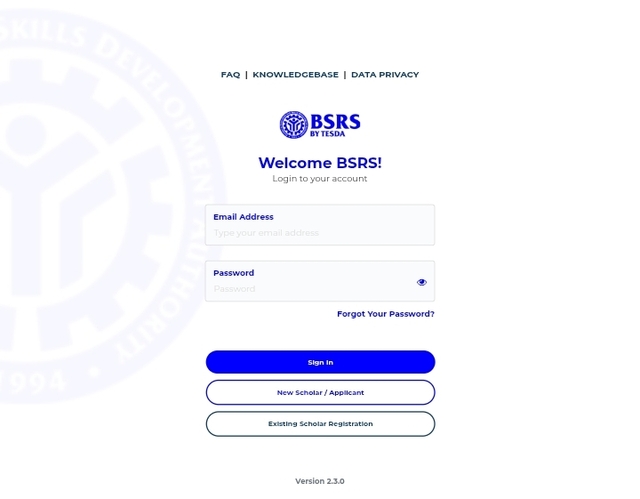
- Access to https://bsrs.tesda.gov.ph
Having these ready makes the process faster and avoids repeated change requests or delays in approval from TESDA.
Once you have these, you can then follow these steps:
STEP 1: Go to the Official Website
- Open your browser and type: https://bsrs.tesda.gov.ph
- Make sure you are on the official TESDA BSRS website.
STEP 2: Log In to Your Account
- Enter your registered email/username and password.
- If your email is not verified yet, check your inbox and click the verification link before making updates.
STEP 3: Click “Edit Profile”
Once you are on your TESDA dashboard, find and click the Edit Profile button.
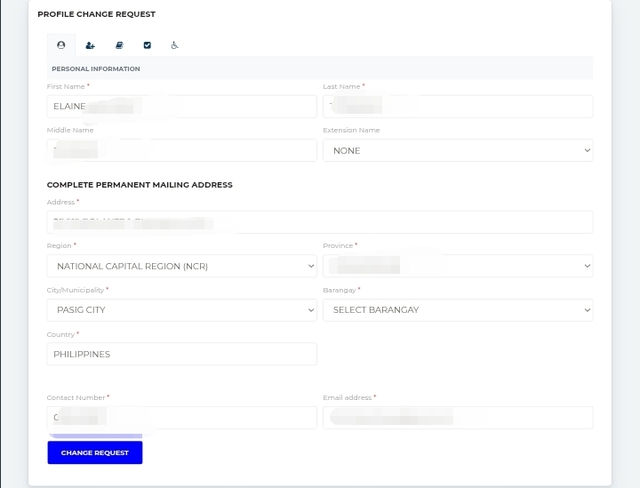
STEP 4: Enter Your Revisions
You can now select the tab of the information you wanted to change and update your information. For example:
- Change of address
- Updated personal details
- Corrections in information
Type the correct details carefully. Double-check spelling before moving forward.
STEP 5: Click “Change Request”
After editing, click Change Request to submit your update.
Important to know:
- Most changes require TESDA approval before they appear in your official record.
- Updating or changing your contact number usually does NOT need approval.
Your request will be reviewed by TESDA administrators.
How to Upload Additional Documents
If you need to add new documents, you can:
- Go to the Documents tab in your profile.
- Click Upload File.
- Select the document type.
- Choose the file from your device.
- Upload it.
After uploading, TESDA will review the document. It will only reflect officially once approved.
Common Problems
Some of the problems associated with updating your TESDA BSRS learner’s profile include:
- My changes are not showing.
Quick fix: That’s normal. Most updates go through approval first. - I can’t update my profile.
Quick Fix: Check if your email is verified. - I made a mistake while typing.
Quick fix: Go back to Edit Profile and submit another Change Request.