The TESDA Skills Passport is a free mobile app created by the Technical Education and Skills Development Authority (TESDA) that lets Filipinos store their skills, training, and National Certificates in one digital place, while also helping them find jobs, apply for scholarships, enroll in free online courses, and locate TESDA centers. It works like a digital ID and résumé for skills, making it easier for workers, students, and job seekers to show what they can do.
This app is designed for students, OFWs, returning OFWs, out-of-school youth, career shifters, and even non-TESDA graduates. If you are registered with PhilSys, you can use the app to track your learning journey, connect with employers, and access TESDA services—from training to employment—anytime using one simple phone app.
What Is TESDA Skills Passport?
The TESDA Skills Passport is an all-in-one, mobile-first application developed by the TESDA and was officially launched in February 2026, with President Ferdinand Marcos Jr. as its first registered user. The app was created to make technical-vocational education easier to access, understand, and use—especially for Filipinos who want practical skills that lead to work. Instead of juggling paper certificates, websites, and office visits, users now have one app that connects learning, credentials, jobs, scholarships, and training centers.
The app is available for free downloads on both Android and iOS devices.
Features
Some of the core features of this app, include:
- Skills Passport (Digital Skills Record): This is the main feature of the app. With the Skills Passport, you can:
- View all your TESDA National Certificates (NCs)
- Track active, expired, and completed certifications
- See your completed TESDA trainings
- Add certificates earned outside TESDA
- Generate a QR code-enabled digital résumé that lets employers instantly verify your credentials using their phone, reducing fake certificates and speeding up hiring.
- Job Opportunities and Freelance Work: The app supports job hunting in two ways:
- Find Jobs
- Job listings from TESDA partner platforms
- Filter jobs by skills, location, salary, and work type
- Even users without TESDA certificates may apply
- Find a TESDAn
- A built-in freelancing marketplace
- TESDA graduates can offer services
- Users can request help from skilled workers
- Find Jobs
Note: To access these, you will need to create a job profile listing your skills and experience.
- Learning Paths (TESDA Online Program): The app connects directly to the TESDA Online Program (TOP). Here you can:
- Browse and enroll in free online TESDA courses
- Get course suggestions based on your skills and past training
- Learn anytime, anywhere—even if you are abroad
- Courses cover areas like agriculture, cookery, beauty care, entrepreneurship, and ICT.
- Scholarships (Digital Application and Tracking): Applying for TESDA scholarships is now easier. Inside the app, you can:
- View real-time scholarship listings
- Filter by location or qualification
- Apply digitally through in-app forms
- Track application status via the app or the BSRS website
- This replaces the old face-to-face process and saves time and travel costs.
- Centers Near Me (Map-Based Locator): Using your phone’s GPS, the app helps you find:
- TESDA Technology Institutions (TTIs)
- Public and private TVET centers
- Accredited assessment centers
Note: You can filter results by course, region, or center type and get directions through your map app.
- Professor K: Professor K is the app’s AI chatbot. It can:
- Answer TESDA-related questions
- Explain trainings, certificates, and scholarships
- Provide guidance based on official TESDA data
- Dashboard (Quick Access): After logging in, the dashboard is organized to show:
- TESDA news and updates
- Announcements and banners
- Shortcuts to Skills Passport, Jobs, Learning Paths, Scholarships, and Centers
- Data Privacy and Security: The app also features:
- Encrypted data during transmission
- Identity checks through PhilSys
- Options to request data deletion
- Secure digital storage for certificates
Note: TESDA has specifically confirmed that user data is protected and not shared with third parties.
Benefits
Here are some of the reasons why you should download the TESDA Skills Passport app:
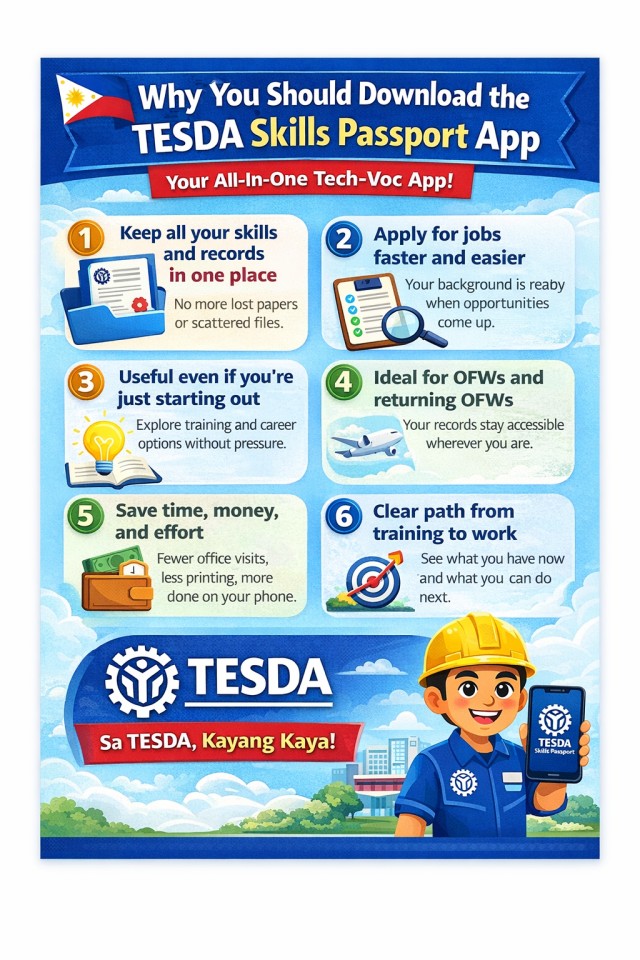
- Keep all your skills and records in one place: No more lost papers or scattered files.
- Apply for jobs faster and easier: Your background is ready when opportunities come up.
- Useful even if you’re just starting out: Explore training and career options without pressure.
- Ideal for OFWs and returning OFWs: Your records stay accessible wherever you are.
- Save time, money, and effort: Fewer office visits, less printing, more done on your phone.
- Clear path from training to work: See what you have now and what you can do next.
Who Can Use the TESDA Skills Passport?
The app is open to almost everyone, but it is particularly helpful to:
- TESDA graduates
- Non-TESDA graduates
- OFWs and returning OFWs
- Out-of-school youth
- Job seekers and freelancers
- Students and career shifters
You only need a PhilSys registration to create an account. This helps confirm real identities and protects records from fake certificates.
Requirements
Here’s what you need to download, install, and use the TESDA Skills Passport app:
- A Compatible Smartphone: You need a mobile device that can run the app:
- For Android users:
- Your phone must be Android version 7.0 (Nougat) or higher
- Enough storage space (about 50–60 MB) to install the app
- A working Google Play Store account to download
- For iOS users:
- A compatible iPhone or iPad with a supported iOS version (exact minimum iOS version may vary; check App Store)
- Enough free storage for the app
- For Android users:
Note: If your device is an older version and doesn’t support modern app versions, you might not be able to install it yet.
- An Active Internet Connection: You need mobile data or Wi-Fi to:
- Download and install the app
- Sign in and sync your credentials
- Browse jobs, scholarships, and courses
- Get updates and locate centers
- A Valid Email or Social Account: To begin the setup, you’ll need to use an email address or a supported sign-in option to create an account. This helps you:
- Secure your profile
- Save your progress
- Recover your account if you change devices
- Philippine Identification (PhilSys) for Registration: To fully access all app features (like storing certificates and applying for scholarships or jobs), you’ll need:
- A Philippines Identification System (PhilSys) number (PSN)
This is used to verify your identity and keep your records safe and real.
- A Philippines Identification System (PhilSys) number (PSN)
Note: Even users without TESDA credentials, certificates, or scholarships can still use some parts of the app once they register with PhilSys.
How to Get Started
To start using the TESDA Skills Passport app, simply follow these steps listed below:
Step 1. Download the TESDA Skills Passport app from Google Play or App Store
Step 2. Register using your PhilSys details
Step 3. Complete your profile
Step 4. Upload or view your certificates
Step 5. Explore jobs, courses, or scholarships
You can start even if you don’t have TESDA training yet.
Fees and Charges
The TESDA Skills Passport app is free to download and use, with no registration or subscription fees required. Users do not need to pay to create an account, view their skills records, or access basic services in the app. The only possible costs are internet or mobile data charges from your service provider when downloading, updating, or using the app online.
Frequently Asked Questions (FAQs)
For many Filipinos, skills are their way to earn, work abroad, or start again. The TESDA Skills Passport makes those skills visible, verifiable, and usable—whether you are applying for a job, learning online, or returning home after working overseas, making it a must-have app on your mobile device. If you are not convinced and still have some questions, this section lists and answers some of the common questions regarding the use of this app:
1. Do I need to be a TESDA graduate to use the app?
No. You can still register and explore opportunities even without prior TESDA training.
2. Do I need an internet connection?
Yes. Internet access is required for downloading, signing in, syncing data, and updates.
3. How much storage space does the app need?
Around 50–60 MB of free storage, depending on your device and updates.
4. Do I need a PhilSys ID to register?
A PhilSys number is required to fully verify your identity and access all features.
5. Can I use the app without a PhilSys ID?
Limited access may be available, but full functionality requires identity verification.
6. Is my personal information safe?
Yes. The app follows government data privacy and security standards.
7. Can I access my account on a new phone?
Yes. Just log in using your registered account to retrieve your records.
8. What if I forgot my login details?
You can recover your account using your registered email or sign-in option.
9. Does the app work offline?
Some information may remain visible, but most functions require an internet connection.
10. Can employers view my skills through the app?
Yes, if you choose to share your profile or credentials.
11. Can freelancers and self-employed workers use it?
Yes. The app helps present skills even without traditional employment records.
12. Will my data be updated automatically?
Yes, once connected to the internet, verified records are synced automatically.
13. Who do I contact if I experience problems?
You can reach TESDA support through the app or official TESDA communication channels.